Discover
Upcoming public events from every organization, ranked by what you want to do.
How it works
What SycaMore Live does today, in the order it happens.
For coordinators
Before · Set up
Set-up takes about a minute, then a practice event and a 7-minute course teach the rest by doing.
During · Event day
Show the code full-screen or print the sign. Volunteers scan with their own phones, and the roster updates as they arrive.
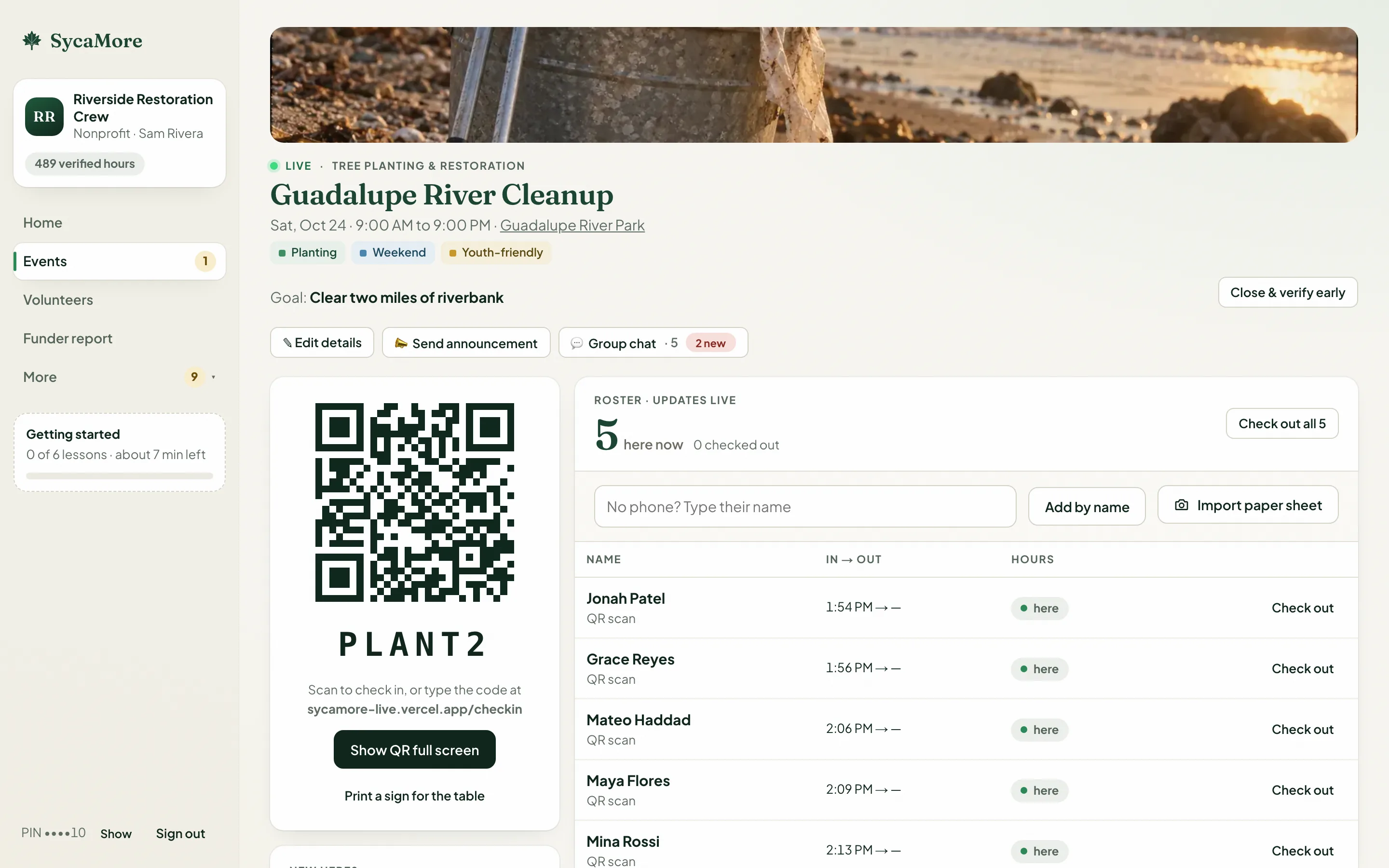
During · Walk-ins
Flip the QR card from Check in to New here. Scanning it signs a walk-in up and checks them in, in one step. They show on the roster as “Signed up at the door”.
After · Paper sheets
Claude drafts one row per person and marks unsure rows amber. Nothing is saved until you confirm each row.
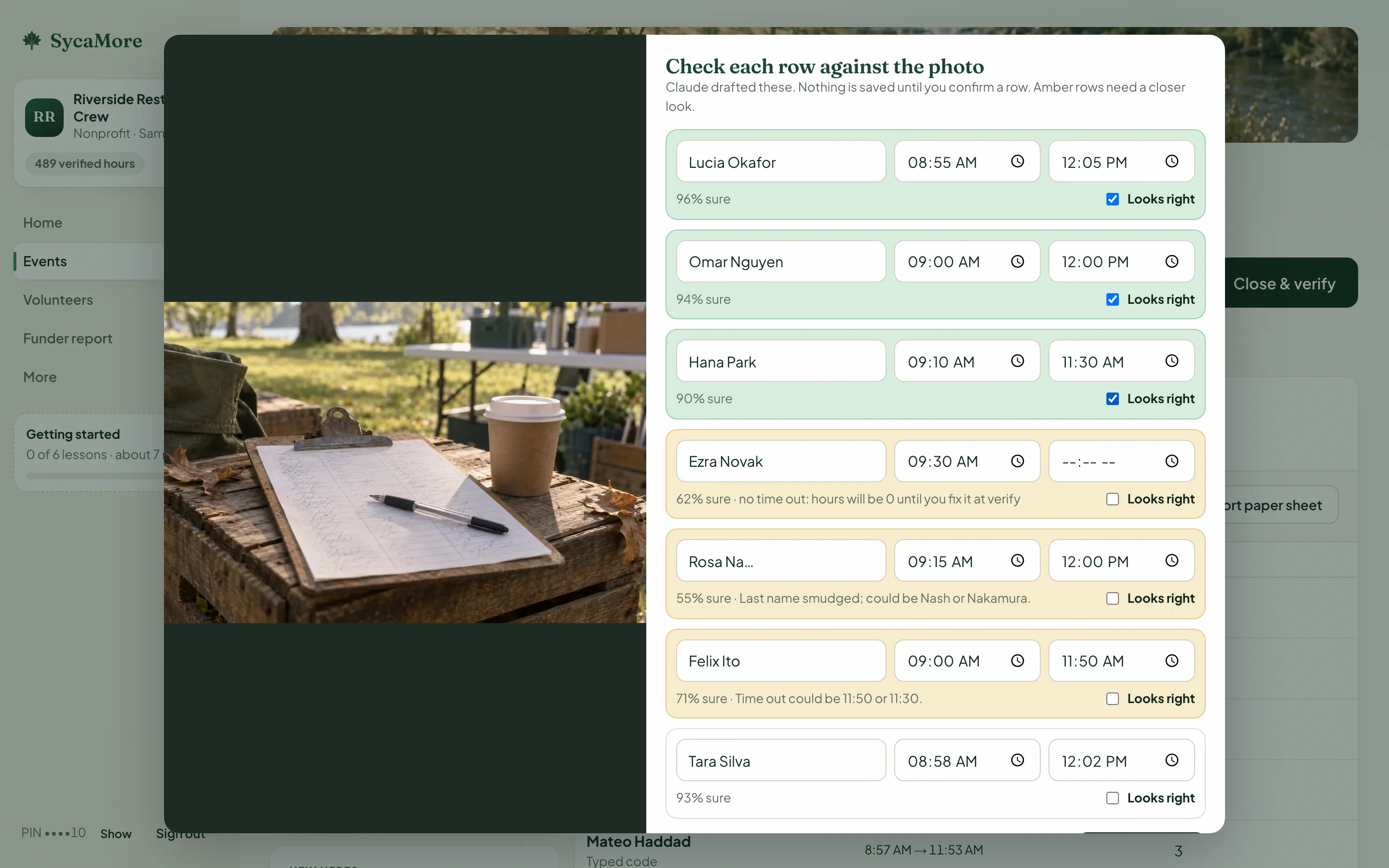
After · Verify
Hours arrive pre-filled from the scans. One tap fills in anyone who didn’t scan out, and the reason is printed on their record.
After · Letters and reports
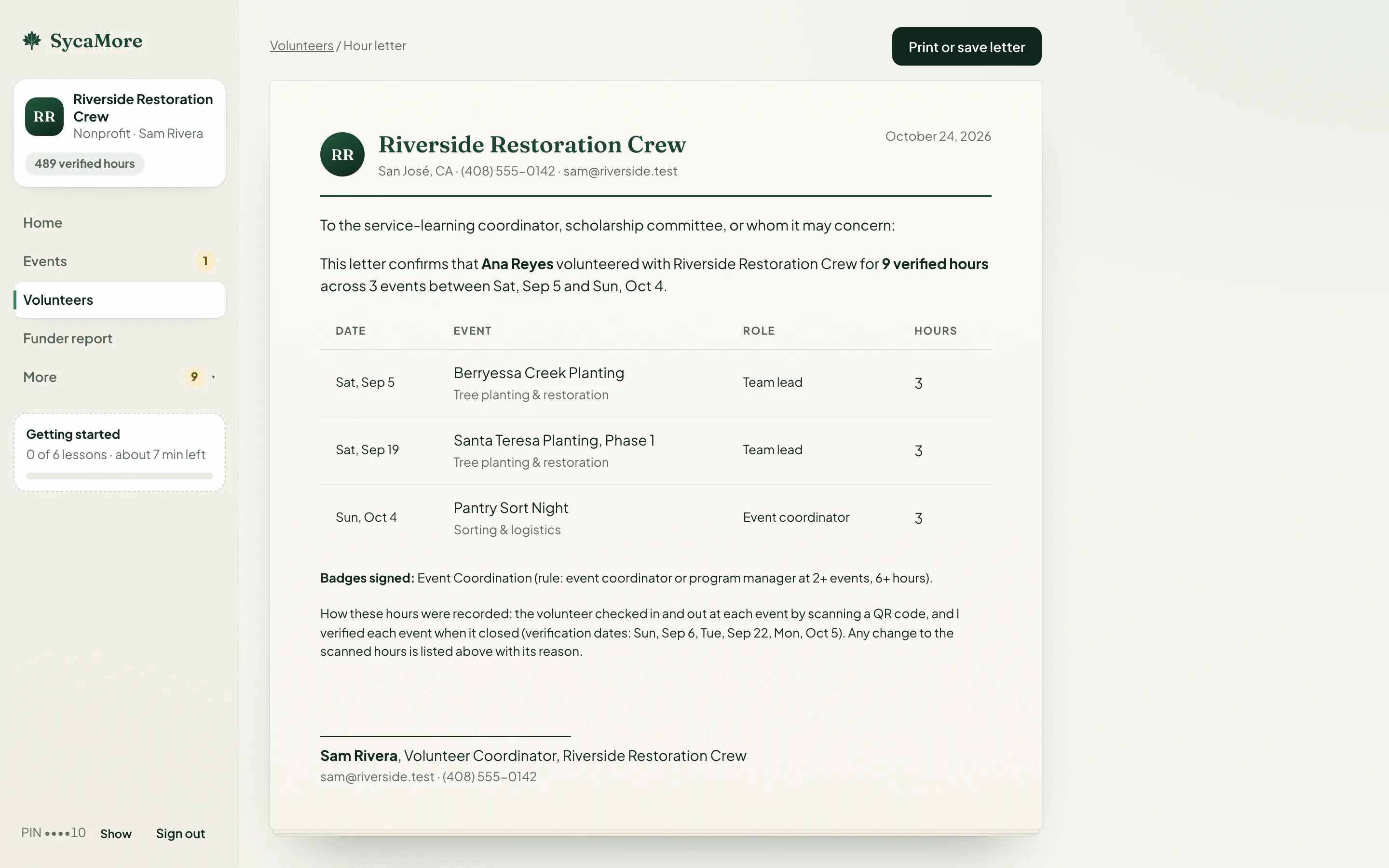
A printable letter per volunteer with the fields schools ask for, and a funder report with the totals, as a PDF or CSV.
For volunteers
At the event
Scan the code at the table. First time? Join in one step and you land straight back on the check-in.
After the event
Until the organization verifies, an event shows as waiting, with no number. Then it becomes a record you can share or print.
Upcoming public events from every organization, ranked by what you want to do.
The system finds who meets a rule; a coordinator signs each badge. No skill claims.
Messages from organizations and event chats in one inbox. Announcements only if you opt in. Under 18 gets announcements only.
Light or dark theme, a download of your data, and deleting your account, all in Account.
Set-up takes about a minute, then a practice event teaches the rest. Volunteers never pay.
Free while SycaMore Live is a student demo. Nothing is charged.